
Intranet redesign
Transforming Employee Productivity
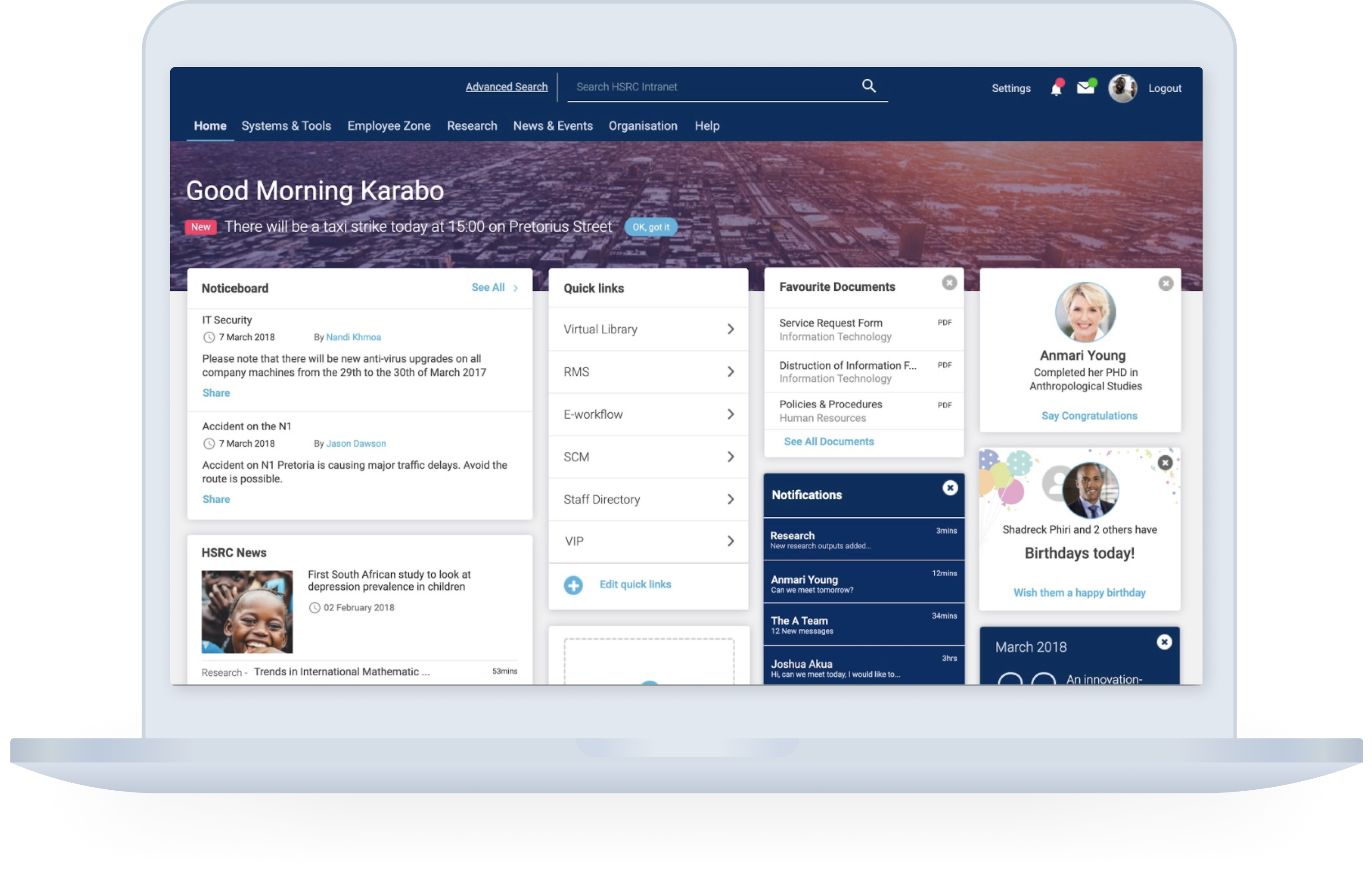
This case study details the user-centered redesign of an intranet for a government research institute. The goal was to increase employee productivity by addressing current inefficiencies in the intranet.
Challenges
Employees relied on workarounds instead of the intranet for daily tasks.
The existing intranet lacked user-friendliness and hindered efficient information access.
My role
UX Research Assistant
UX Design
UI Design
Project approach
01
Understanding user needs
Conducted contextual interviews with employees to identify pain points, tasks, and workflows.
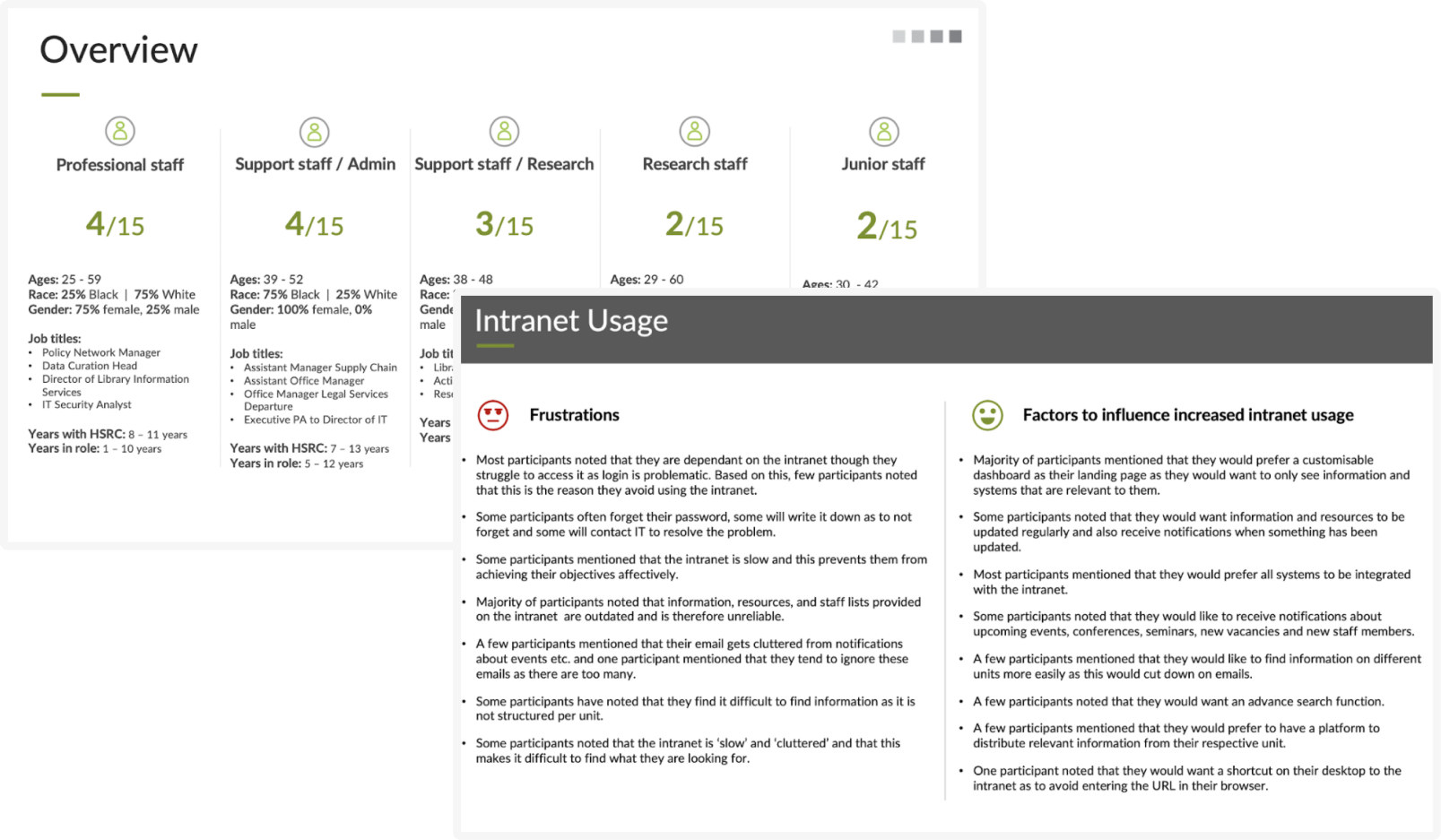
Developed personas and experience maps to illustrate key user groups to guide design decisions.
02
Content optimisation
Conducted a content audit to assess information accuracy, clarity, and mobile-friendliness.
Collaborated with stakeholders to rewrite and restructure content for better user experience.
03
Stakeholder alignment
Facilitated a workshop with stakeholders to align business goals with user needs.
Gathered feedback on features, functionality, and content prioritization.
04
Information Architecture
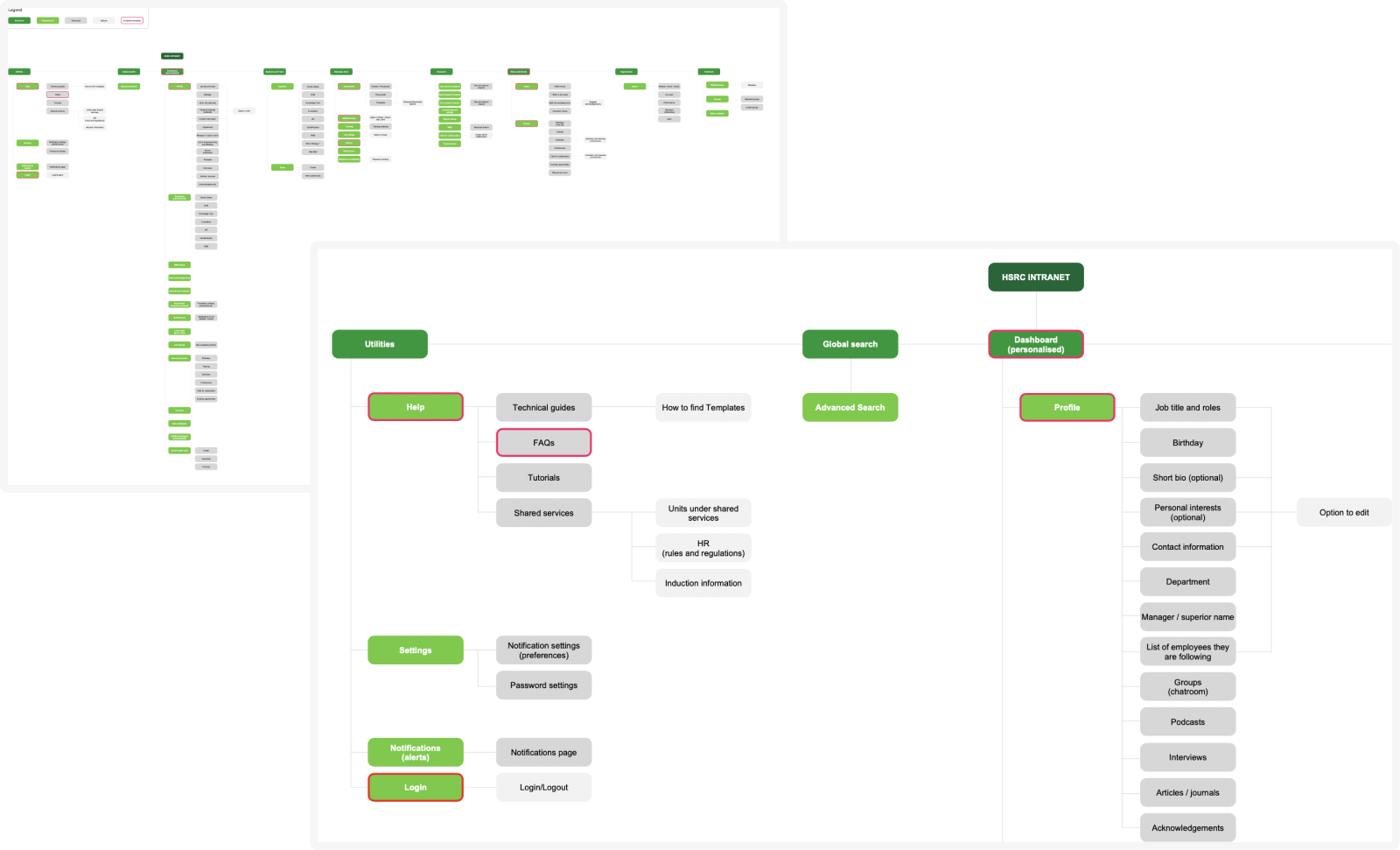
Built a scalable IA based on research findings and stakeholder input which became the blueprint for the new intranet.
05
Design and prototype
Created high-fidelity wireframes focusing on prioritised content, features, and functionality.
Designed reusable templates for future content expansion and developed a fully-functional prototype for usability testing and developer reference.
06
Usability test
Conducted usability tests with employees from various departments using the interactive prototype.
Evaluated user behavior and task completion to identify areas for improvement and incorporated learnings from testing into the final design iteration.
Understanding user needs
To gain a deep understanding of employee needs and pain points, we conducted a series of contextual interviews. Here’s how we approached it:
Interviews
I created discussion guides focused on daily tasks, workflows, tools used, and communication channels.
Uncovering User Behaviors
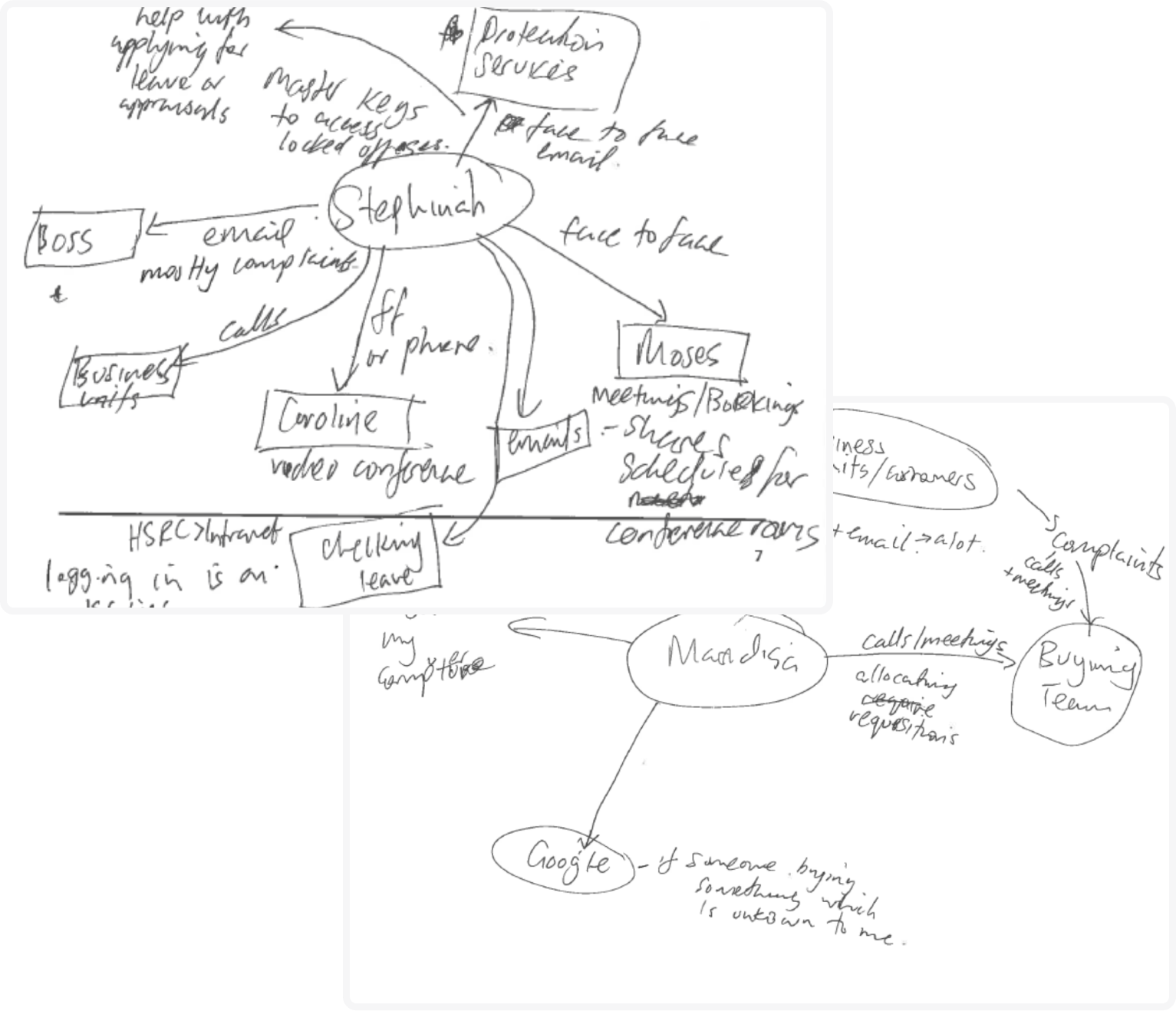
Through interviews led by the project lead, I observed interactions with tools, teams, and systems. We documented user needs, challenges, workarounds, and moments of satisfaction.
Persona Development
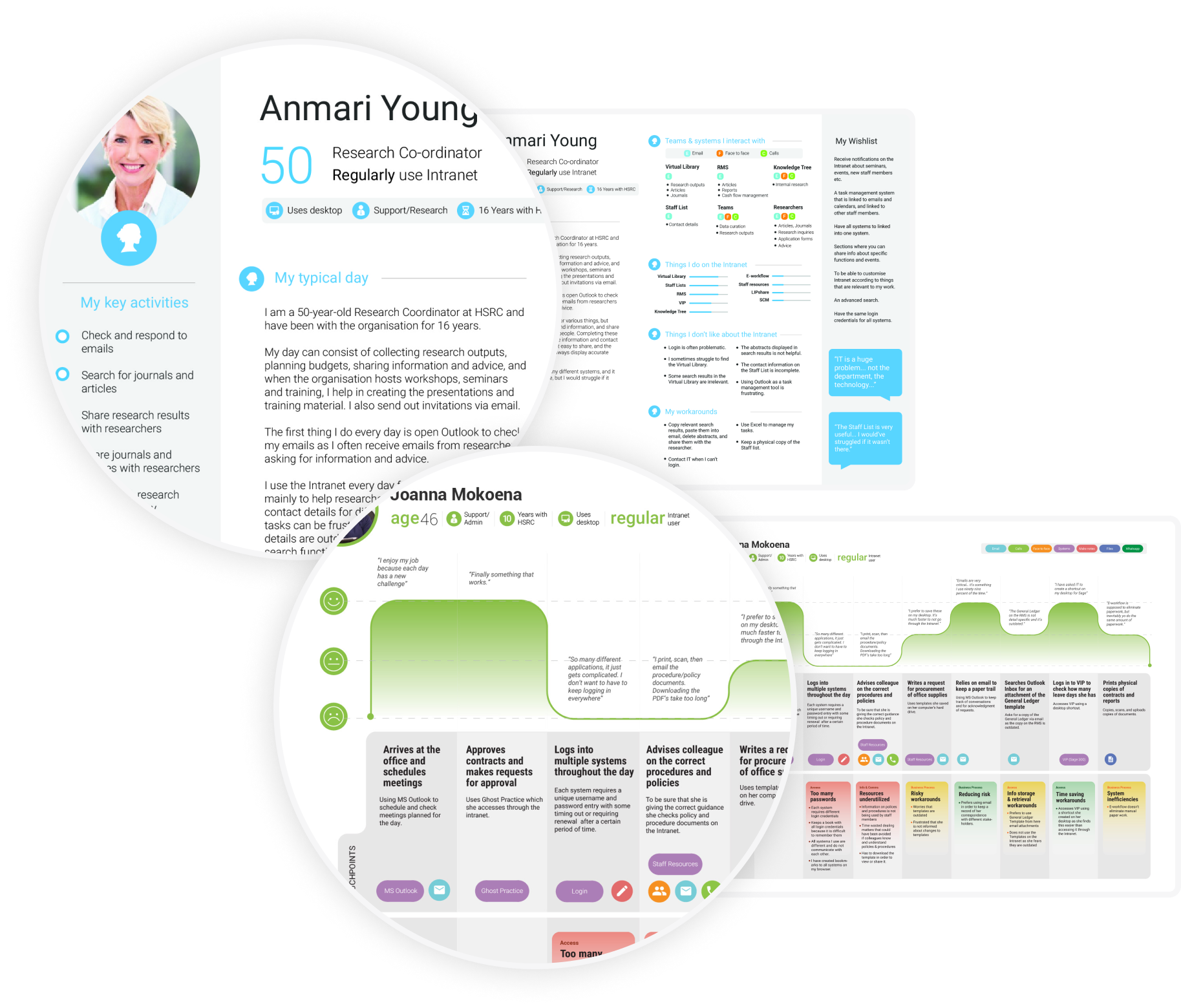
Our initial assumption was to create 5 personas. However, after analyzing interview data, we identified 4 distinct user groups. One group had minimal interaction with the intranet and relied heavily on a separate system (outside the redesign scope due to technical limitations).
Experience maps
Since employee tasks were long-term and didn’t follow a linear timeline, traditional user journeys weren’t suitable. In collaboration with my senior, we opted for experience maps. These maps visualized a typical workday for each persona, including tasks, tools, communication methods, pain points, and positive experiences. This approach provided a holistic view of the user experience.
Content audit
I created a metric based on a scale ranging from 0 – 5 with each number containing definitions and guidelines of 6 categories, i.e. audience fit, accuracy, tone of voice, clarity, conciseness, and mobile friendliness. This audit helped in structuring pages and content into an information architecture, as well as rewriting copy in collaboration with some of the key stakeholders.
Stakeholder workshop
A workshop with stakeholders from the various departments and business units aided in aligning the business and user goals.
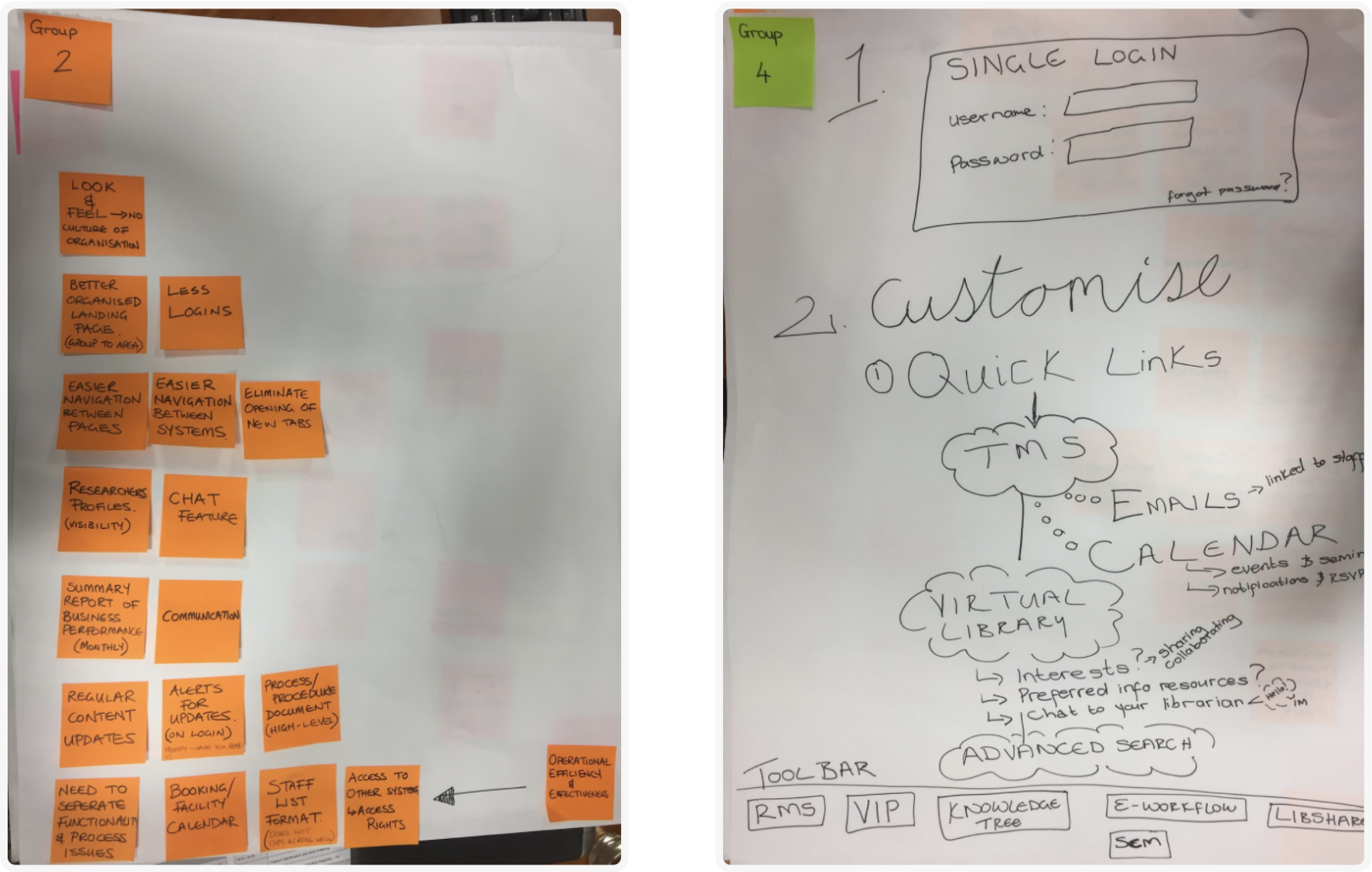
In this workshop I presented back findings from interviews and the content audit. Assisting the project lead with running the workshop, I took note of discussions and artefacts that helped with feature and functionality prioritisation.
The collaboration with stakeholders in this workshop ensured alignment on the intranet redesign.
The workshop helped me to identify and extract business objectives and requirements for the redesign.
Information Architecture (IA)
I created a scalable information architecture using the findings from the interviews, content audit, workshop discussions and artifacts.
I leveraged this IA when creating the wireframes for the new intranet.
Templates and prototype
I designed high-fidelity wireframes that focussed specifically on the prioritisation of content, features, and functionality. Using the personas and experience map, I also ensured that users’ needs, pain points and behaviour were considered when structuring pages and creating page elements.
Included in deliverables were templates I designed that can be reused for additional and future content and pages.
I annotated pages and elements for the developers that clearly indicate the necessary links, interactions, and transitions.
Using these wireframes I created a fully functioning prototype for usability testing and also for developers to use when building the new intranet.
Usability test
I created a scalable information architecture using the findings from the interviews, content audit, workshop discussions and artefacts. I identified tasks that users from each department would do as part of their daily tasks and wrote a discussion guide that outlined the objectives and the flow of the tasks.
Using an interactive prototype, I conducted a usability test in order to validate the redesign of the intranet, taking note of users’ actions and behaviours.
I scored each task according to the objectives and success metrics I created and incorporated the learnings in the final iteration of wireframes.
I leveraged this IA when creating the wireframes for the new intranet.